Skip to content

Generative AI for Electrical BIM & VDC

Automatically turn your 2D PDF drawings into a coordinated 3D Revit model with fully generated and routed conduits.

Features

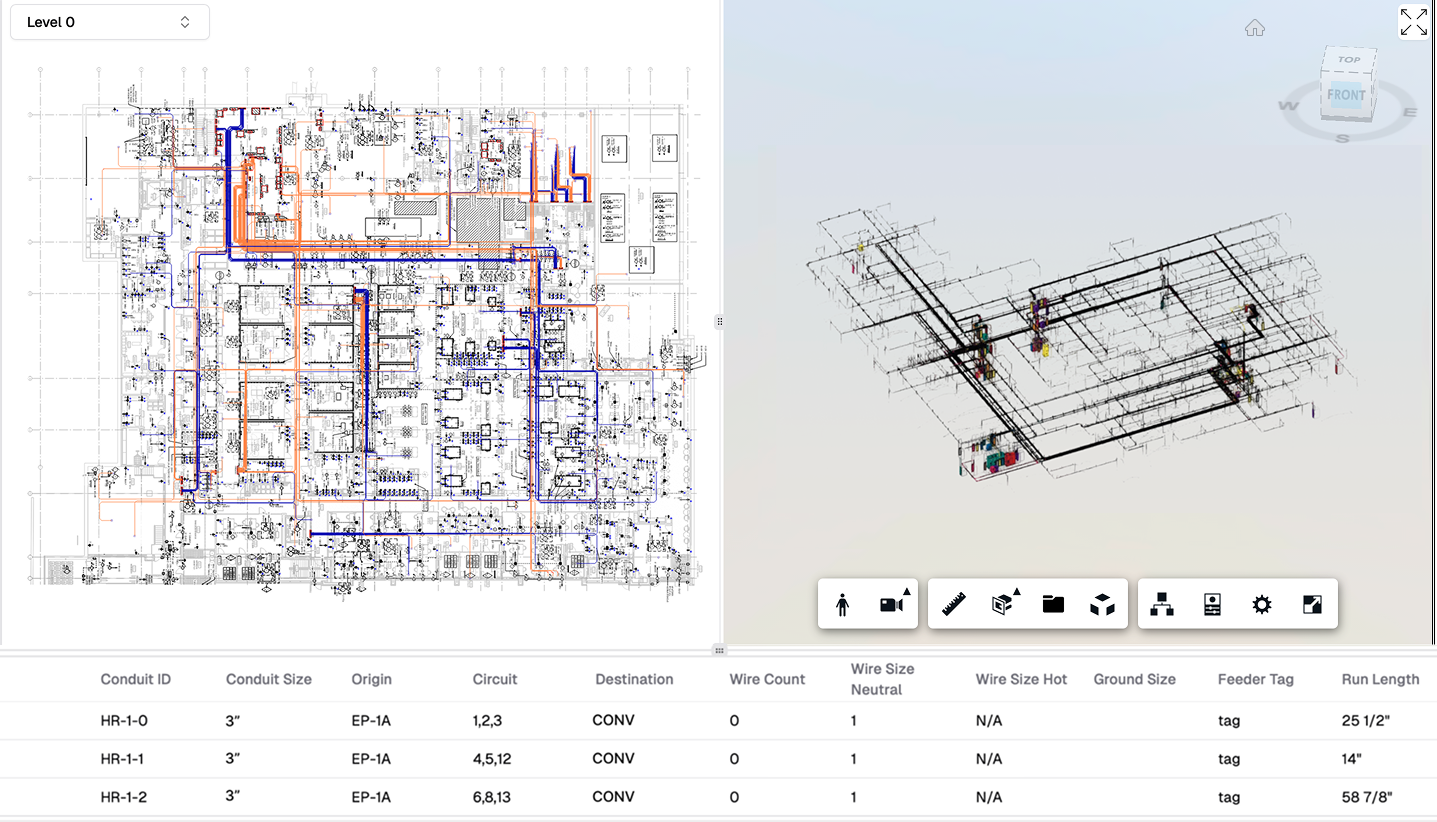
Revit model built by AI

Revit model, built by AI

Our AI generates native Revit models ready for immediate use in your BIM workflow.
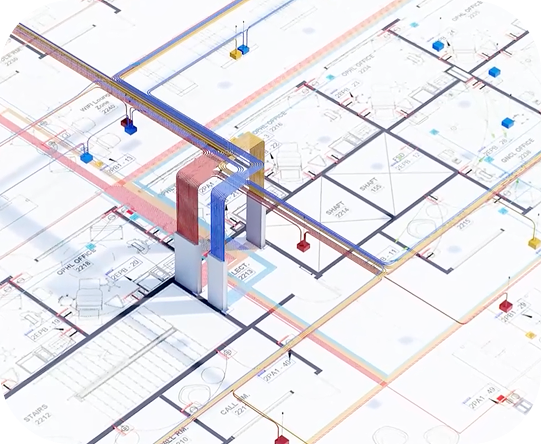
Branch Conduits Routing

Feeders, Homeruns and Branch Conduits

Complete coverage of all conduit types with intelligent routing and proper sizing.
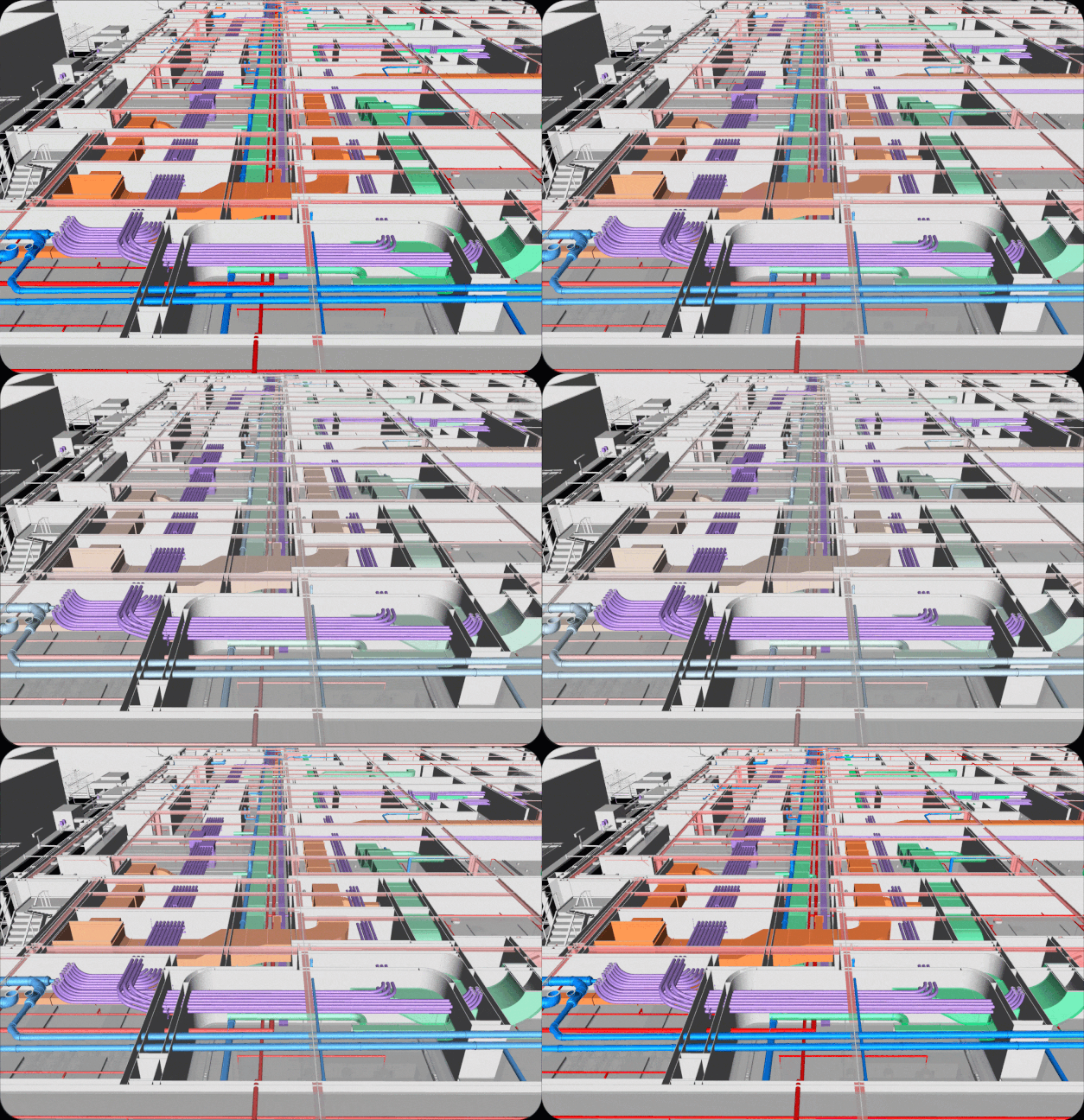
Clash-Free Routing

Clash-Free Routing

AI-powered clash detection ensures your conduit paths are optimized and conflict-free.

How it works?

Our AI-driven process integrates seamlessly into your existing BIM workflow.

01

Upload PDF & Preferences

Simply upload your electrical drawing sets and set your project-specific routing preferences.

02

AI Generates 3D Conduits

The AI automatically generates and routes 3D conduits based on NEC compliance and your standards.

03

Download Deliverables

Get your 3D Revit model, PDF layouts, and an Excel conduit schedule ready for field use.
Drawer AI BIM Workflow (1-5 Days)

Coordinated synergy between the Client and our AI-powered BIM engine

STAGE 1
USER
Create Project Upload Project Files Fill Out Form
DRAWER AI
File Analysis PDF Stitching & Parsing 3D Models Conversion
STAGE 2
DRAWER AI
PDFs Data Takeoff Conduit Routing Initial 2D Layout
USER
Sync Meeting Routing Review Layout Approval
STAGE 3
AI MAGIC
Revit Model Generation Layouts Generation QA & Reports
STAGE 4
DRAWER AI
Project Delivery Sharing Deliverables Iterative Updates
USER
Project Acceptance 🔥 Deliverables Review Final Approval

Trusted by Leading Contractors

FRONTLINE_1-1
murphy_
miller eads black-1
logo-b_w_GWM
fisk logo
parker elec black
Group 2
pg_enlighten
IES
Group 186
amteck logo
Superior Enterprice
mk electric 1
Baker Electric 2
Ridgeline
houle_logo
Ferndale
LAKELAND ELECTRIC
BE Small
image 1
Group 10
BDI Electrical logo
mayer logo
Electri Force
eau-gallie-electric-logo-@2x
midsouth_electric_logo_main
Evergreen
fremont-electric-inc-logo-9e0984e8-420w
Medina
TDN small
Superior Enterprice
trizone-electric-logo-full
SS-Electric-Company-Logo
Amaha small
Hi Power
Jim Speiser+logo+copy
Bleuwave
lawson_logo_white_v1-2048x1084
Div 26 electric
Ridgeline
United Electric
WYRE-Ind-Logo
Mid City Electric
Shaw electric
vessel electric
WTC
5 points electrical
Hi power electric
Schmitt electric

Model Early
Reserve Space
Save Material

AI Optimized Routing
Reduces Waste

Save Time
Save Money

Frequently Asked Questions

Everything you need to know about Drawer AI BIM Wizard

Does this work on real electrical drawings?

Yes, Drawer AI is built and tested on real U.S. construction drawing sets, not demo files or clean examples.
What types of electrical scope does it handle?

Power Feeders and Homeruns, Lighting Homeruns, and Typical Panels. New scope capabilities are added very often — check the latest scope coverage with our team here info@drawer.ai.

Do I need to change my current workflow?

No. You upload the same drawings you already receive and use the outputs in your existing BIM process.

How accurate is the output?

The AI produces structured electrical data that is reviewed and validated before it is delivered. Accuracy improves as more projects are processed.

How long does it take to get results?

Most projects are processed significantly faster than manual, typically within 1-5 days depending on project size and complexity.

What happens if the drawings are messy or incomplete?

Drawer AI is designed for real-world drawings. If clarification is needed, the system and support team handle it without blocking your workflow.

What will be delivered?
  • 3D Revit model

  • PDF Layouts

  • Excel Conduit Schedule

Is my data secure?

Yes. Your drawings and project data are handled securely and are not shared across customers.

How do we get started?

Fill out this form - LINK

Get started
with Drawer AI BIM

Automate your VDC workflow today. Fill out the form to request access.