
AI



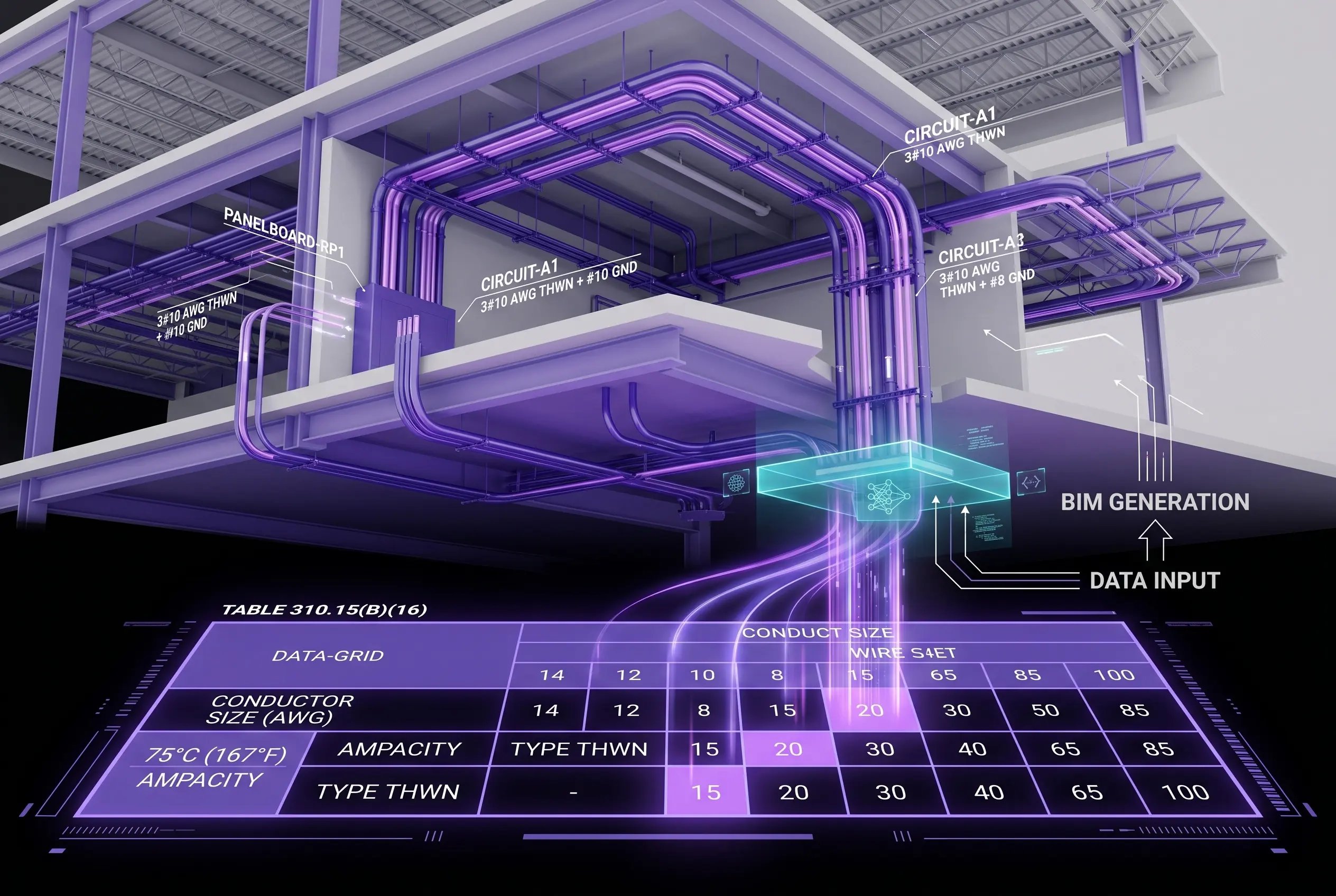

The modern commercial electrical contractor runs on five to seven software tools that don't talk to each other: a takeoff platform, an estimating database, a project management system, accounting software, plan review, and maybe a BIM tool. Each piece works on its own but the gaps between them eat hours and create errors.
Table of Сontents
This guide is designed specifically for commercial and industrial electrical subcontractors, offering a comprehensive roadmap to the modern tech stack. We break down each software category, highlight leading tools, and explain how these solutions can work together more effectively. By understanding the strengths and purposes of each tool, contractors can make smarter choices, streamline workflows, and build a more cohesive digital ecosystem.
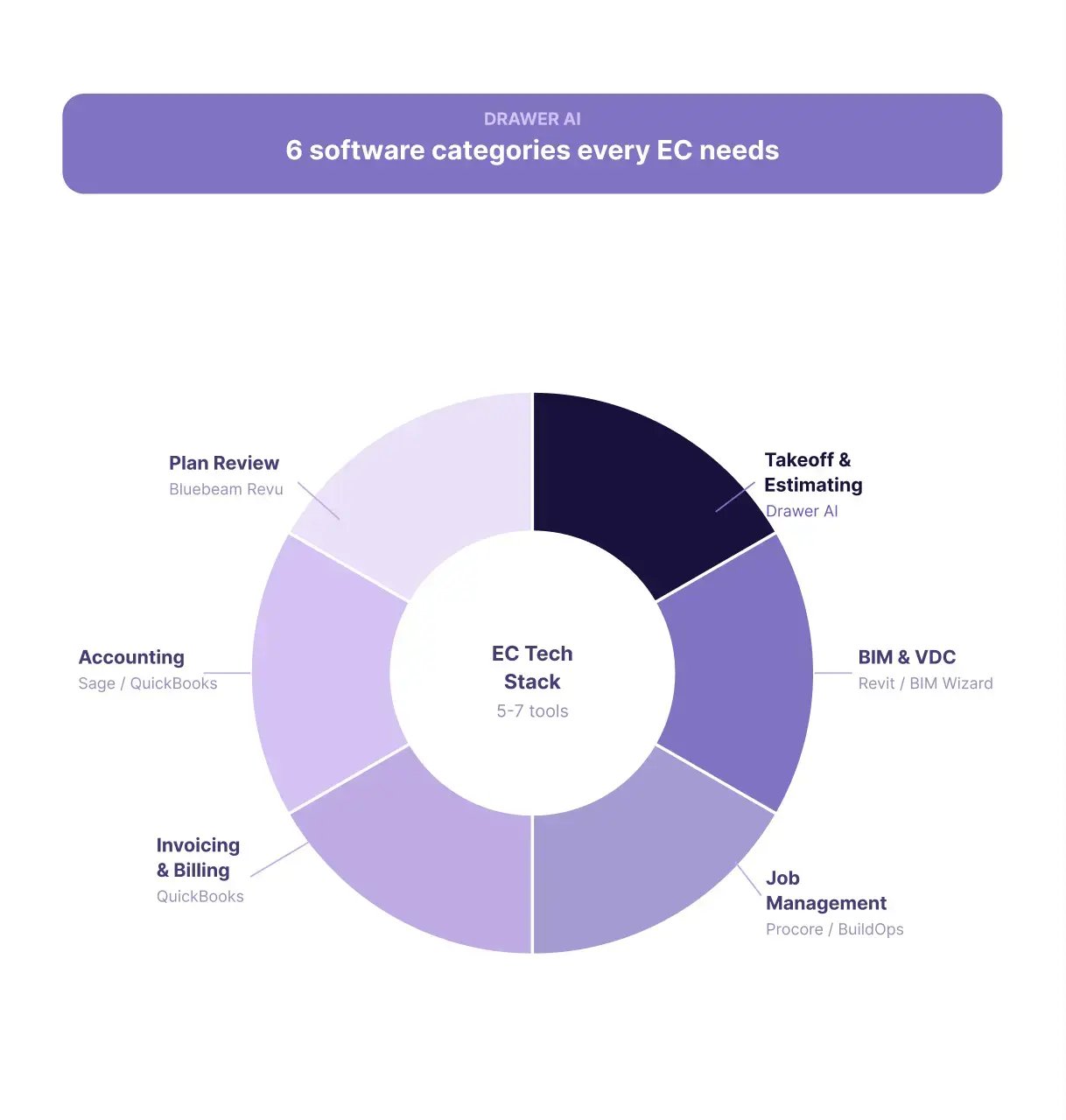
The estimating and takeoff process forms the foundation of any electrical contractor’s tech stack. Accurate takeoff and estimates are crucial for bidding, planning, and executing commercial and industrial projects efficiently. Traditionally, contractors relied on manual counting and calculations to create estimates, a process that was both time-consuming and prone to errors.
Three approaches are common today:
The latest evolution in this space is AI-powered takeoff software, with Drawer AI standing out as the category leader. Drawer AI is designed specifically for electrical contractors, automating the counting process and eliminating manual steps. By leveraging artificial intelligence, Drawer AI enables up to 70% time savings, ensuring faster, more accurate takeoffs. The platform features NEC-compliant routing and supports a seamless PDF-to-Excel workflow, further simplifying the estimating process.
Drawer AI sits at the takeoff layer of your stack — it doesn't replace your estimating database, your accounting tool, or your project management system. It replaces the manual counting and routing step.
For electrical contractors engaged in 3D coordination, Building Information Modeling (BIM) and Virtual Design and Construction (VDC) software are essential tools. These platforms streamline the process of designing, planning, and managing complex commercial and industrial projects, enabling teams to collaborate more effectively and reduce costly clashes.
Traditional solutions like Revit are widely used for manual modeling and 3D coordination. Revit enables contractors to build detailed digital representations of electrical systems, yet it requires significant manual input and typically starts from an existing Revit architectural and structural references. To address these challenges, new AI-powered tools have emerged, such as Augmenta, which automates routing and accelerates the modeling process.
Drawer AI’s BIM Wizard stands out as a unique solution in this space. Unlike other platforms, BIM Wizard allows contractors to start from standard 2D PDF drawings and convert them directly into Revit models, eliminating the need for an existing Revit input. The output is a starting point for VDC coordination, not a finished model — but it cuts days off the modeling phase for subcontractors who only have PDFs.
This approach streamlines workflows and enables rapid, accurate BIM generation for electrical projects. For more details, visit /bim.
Other electrical-BIM tools to know: **EVOLVE Electrical** (Revit add-in built specifically for electrical contractors) and **Naviate Electrical** by Symetri (production drawings, panel schedules, and electrical content libraries inside Revit).
Electrical contractors rely on job management and project management software to oversee every phase of a project, from the initial bid through to final closeout. These platforms are essential for tracking projects, managing documentation, and ensuring that all aspects of a job progress smoothly and stay organized.
Project tracking is a core feature, allowing teams to monitor milestones, deadlines, and resource allocation in real time. Document management capabilities ensure all critical files—including drawings, contracts, and compliance documents—are stored securely and can be accessed by the right stakeholders. Additional tools for managing Requests for Information (RFIs), submittals, and change orders streamline communication between field and office teams, helping contractors respond quickly to changes and keep projects on schedule.
The right tool depends on project size and type:
Drawer AI is not a job management or project management tool — it doesn't track milestones, RFIs, or schedules. Drawer AI produces Excel and PDF outputs that get imported into Procore, Knowify, or BuildOps as part of the bid package or job kickoff documents. For more on selecting a job management tool, see our job management software guide for electrical contractors.
Effective invoicing and billing processes are critical for electrical contractors to maintain healthy cash flow and ensure projects remain profitable. Modern invoicing and billing software streamlines the creation of invoices, facilitates accurate tracking of payments, and supports a variety of billing methods, including progress billing and time-and-materials (T&M) billing.
With these tools, contractors can quickly generate detailed invoices that capture all billable items and services. Progress billing enables contractors to invoice for completed portions of a job as milestones are reached, which is particularly useful for larger projects with extended timelines. T&M billing, on the other hand, provides flexibility for service work and smaller tasks by allowing contractors to bill clients based on actual time spent and materials used.
Common tools by use case:
A key advantage of these platforms is their ability to connect takeoff data and estimates directly with the invoicing process. By leveraging accurate takeoff information during the estimation phase, contractors can ensure that invoices reflect the true scope of work, minimizing errors and reducing the risk of billing disputes. This seamless integration supports more transparent, efficient, and accurate billing cycles.
For more on choosing invoicing software, see our electrical contractor invoicing software guide.
For electrical contractors, robust accounting software is essential for effective financial management. These platforms handle a wide range of needs, including financial tracking, job costing, payroll, and tax compliance. With accurate financial tracking, contractors can monitor income and expenses, ensuring projects remain profitable. Job costing features allow for detailed monitoring of costs associated with individual projects, helping firms understand profitability on a job-by-job basis and make informed decisions about bidding and resource allocation. Payroll tools simplify the calculation and distribution of employee wages, while tax modules help contractors stay compliant with complex tax requirements and deadlines.
The most common accounting platforms for electrical contractors:
Integration between invoicing and accounting systems is critical for maintaining accurate records and promoting efficiency. Many contractors combine QuickBooks with a specialized front-end tailored to the construction industry, ensuring a streamlined connection between project billing and back-office accounting. This integration helps reduce errors, saves time, and supports better decision-making throughout each project’s lifecycle.
Efficient plan review and collaboration are essential for electrical contractors to maintain accuracy and streamline project workflows. Modern tools allow teams to view and mark up PDF drawings, enabling clear communication and faster revisions. By leveraging these digital solutions, project stakeholders can easily share plans and updates with team members, ensuring everyone stays aligned and informed throughout the course of a project.
Viewing and marking up PDF drawings has become a standard practice, replacing traditional paper-based reviews. These tools offer capabilities like annotation, highlighting, and commenting directly on digital drawings, which helps identify issues, track changes, and facilitate collaborative problem-solving. Sharing digital plans with the team further enhances coordination, allowing for real-time updates and feedback that accelerate decision-making and reduce delays.
The leaders in plan review:
While Drawer AI has automated the manual counting aspect of plan review, estimators continue to rely on Bluebeam for marking up drawings and adding notes. This combination of automation and manual input ensures that plan reviews remain thorough and accurate, supporting both efficiency and detailed documentation.
A working tech stack isn't about having every category covered — it's about how the tools you do use pass data to each other. Most commercial subs hit one of three integration patterns: native connectors (Procore ↔ QuickBooks, Drawer AI ↔ Excel), API integrations (Procore Connect, Sage Intacct API), or manual export-import via Excel and PDF.
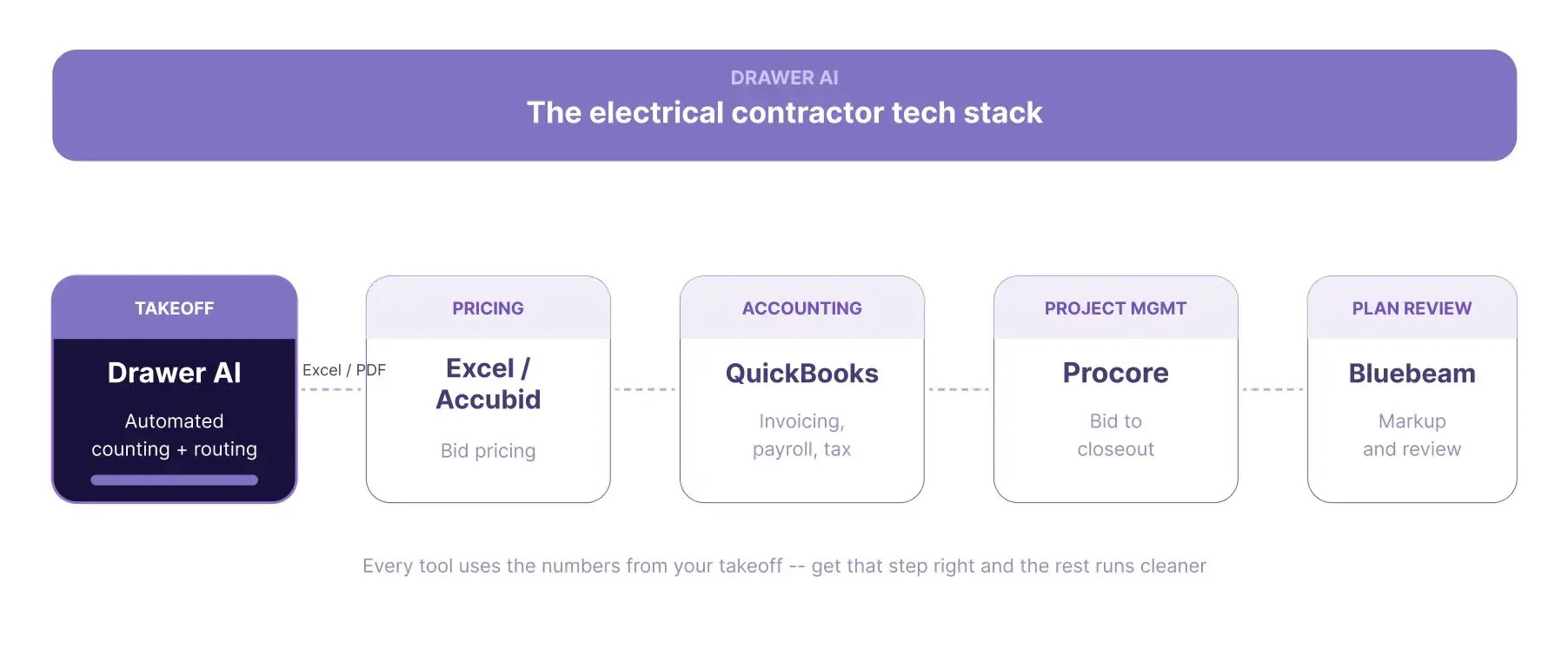
The following visual illustrates how commonly used industry tools connect within a typical workflow:
|
Stage |
Tool |
Integration Path |
Key Features |
Benefits |
|
Takeoff
|
Drawer AI
|
Exports to Excel/PDF for next steps
|
Automated takeoff, counts, and flexible export options |
Speeds up quantity takeoff, reduces manual errors, facilitates integration with pricing tools |
Pricing |
Excel / Accubid |
Receives data from Drawer AI
|
Customizable pricing sheets, bid analysis, cost tracking
|
Enables quick bid creation, supports accurate cost estimates for proposals
|
|
Invoicing & Accounting
|
QuickBooks
|
Connects with pricing tools for billing
|
Automated invoicing, payroll, tax compliance, financial tracking
|
Simplifies back-office tasks, ensures accurate billing, supports regulatory compliance
|
|
Project Management
|
Procore
|
Integrates with QuickBooks for financial tracking
|
Workflow management, document control, scheduling, communication tools
|
Improves team coordination, centralizes project information, tracks progress and costs
|
|
Plan Review
|
Bluebeam
|
Receives project documents and markups
|
PDF viewing and markup, annotation, issue tracking, collaboration
|
Enables efficient plan review, fosters team communication, ensures accuracy in revisions
|
Example stack for a 20-person commercial sub:
Drawer AI’s export functionality is particularly flexible, allowing users to output data in Excel and PDF formats. This compatibility makes it easy to integrate Drawer AI’s data into any downstream tool, supporting a wide variety of workflows and maintaining interoperability across the tech stack.
Every other tool in the stack uses the numbers from your takeoff. Get that step right and the rest of the workflow runs cleaner.
Book a Demo →[See how AI takeoff fits your stack → we'll run Drawer AI on a real commercial drawing and show how the output flows into your existing pricing, invoicing, and project management tools.

14425 Falcon Head Blvd
Building E, Suite 100,
Austin, TX 78738
Created by Estimators, Powered by AI and Innovation
Copyright © 2026 Drawer AI. All rights reserved.