
AI



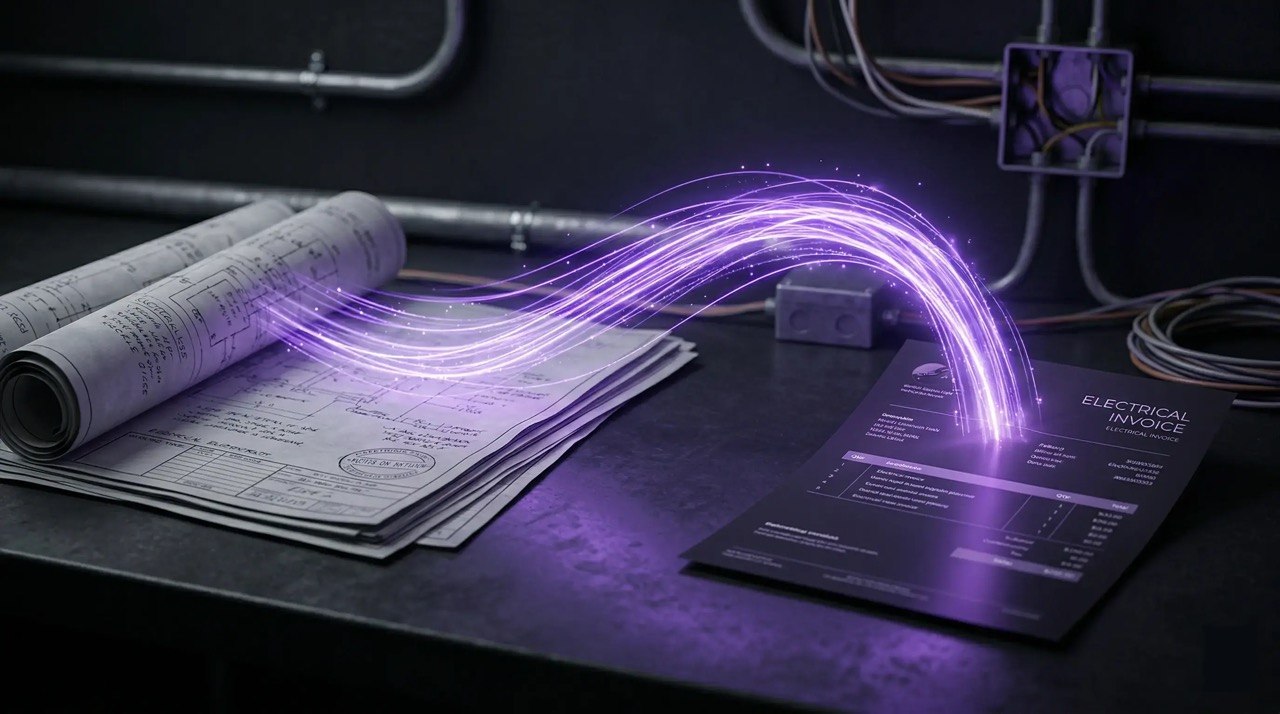

Electrical contractors depend on AI-powered takeoff tools for accurate bids, but integrating this data with billing software is still a challenge. Manual data transfer wastes time and leads to errors, impacting billing and revenue. Closing this gap is vital for improving productivity and financial stability.
Table of Сontents
One of the most significant frustrations for electrical contractors is that takeoff data does not seamlessly flow into their invoicing systems. As a result, they are forced to re-enter data manually, a process that wastes valuable time and increases the risk of overlooking crucial line items. These omissions can delay the billing process, disrupt cash flow, and create unnecessary headaches for both contractors and their clients. By setting up the problem in this way, it becomes clear why finding a solution to connect AI takeoff tools with billing software is so important.
For instance, an electrical contracting firm I worked with used AI takeoff software to automate their measurements for a commercial renovation project. By syncing the data directly with the accounting software, they eliminated manual entry errors and cut their invoice processing time in half. Billing became much easier after integrating AI takeoff data with accounting, each invoice reflected the true percentage of work completed, leading to better up to date invoices and faster payments. These highlight how leveraging industry-specific software can significantly streamline operations and improve financial accuracy.
The lack of seamless integration forces manual data entry, increasing the risk of errors and omissions that delay invoicing and impact cash flow. Understanding where and why these breakdowns occur is key to improving both productivity and financial outcomes.
At the heart of the problem is the disconnect between the tools used for estimating and those used for billing. Electrical contractors often rely on separate software or spreadsheets for takeoff, estimating, and invoicing. Without a direct link, important project details must be re-entered multiple times, which not only wastes time but also opens the door to mistakes. For example, quantities or labor rates may be incorrectly transferred, or material markups might be omitted entirely. This is especially problematic when change orders or project updates are frequent, as contractors must manually update each system, making it easy for critical information to slip through the cracks.
A typical workflow for electrical contractors starts with a project takeoff in Excel. Quantities, materials, and labor requirements are carefully entered into spreadsheets, forming the basis for the estimate. Next, this data is transferred—often manually—into another spreadsheet to produce the project estimate. Finally, when it’s time to invoice, details must be re-entered into QuickBooks or another billing software. Each step relies on manual data entry, increasing the risk of mistakes and omissions.
Throughout this process, critical information can be lost at multiple points. Quantities may be inaccurately transferred, labor rates misapplied, or material markups omitted. Change orders—often fast-moving and complex—can be especially prone to errors, with updates failing to make it from takeoff to estimate or from estimate to billing. These gaps mean that invoices may not reflect the full scope of work, reducing accuracy and reliability.
The consequences of these breakdowns are significant. Delayed invoices mean delayed cash flow, making it harder for contractors to maintain financial stability. Margin leakage occurs when underbilled items or omitted charges eat into profitability. Inaccurate billing disrupts operations, frustrates clients, and ultimately undermines the business’s bottom line.
Electrical invoicing software is built to simplify the billing workflow for contractors, offering several tools that automate and organize the process from invoice creation to payment collection. These platforms allow users to generate invoices quickly by pulling in relevant project details, such as itemized charges, labor costs, and materials, directly into the billing document. Many solutions provide customizable invoice templates, enabling contractors to tailor bills to specific clients or projects, which helps maintain professionalism and clarity.
Beyond basic invoice generation, electrical invoicing software often integrates electronic payment options. Clients can pay invoices via credit card, ACH transfer, or other online methods, which accelerates the payment cycle and cuts down on manual processing. Some platforms include automated payment reminders, sending notifications to clients when invoices are due or overdue. This feature reduces the need for manual follow-ups and helps contractors maintain steady cash flow. Additionally, invoicing systems frequently offer reporting and tracking capabilities, enabling users to monitor outstanding invoices, payment status, and revenue trends in real time. Another essential feature is accounting synchronization, where the invoicing software links directly with accounting platforms such as QuickBooks or Xero. This integration ensures that all billing transactions are accurately recorded in the contractor’s financial books, streamlining reconciliation and reducing the risk of accounting errors.
Despite these advantages, electrical invoicing software does not cover the entire project lifecycle. One major limitation is its inability to handle the initial takeoff phase, which involves calculating quantities of materials and labor needed for a job. Tasks like item counts, routing, and material pricing are typically managed in specialized estimating software or spreadsheets, not within the invoicing platform. As a result, contractors must manually transfer information from their estimating tools to their billing systems. This manual handoff introduces opportunities for errors—such as incorrect quantities, missed markups, or outdated pricing—especially when projects are complex or change frequently.
Furthermore, invoicing software is not equipped to track ongoing project changes or manage change orders as they arise. When adjustments are made during a project—such as additional work, altered material requirements, or revised labor rates—contractors must manually update both their estimating documents and their invoicing system. The lack of real-time integration means that billing tools often fail to capture the full scope of work, resulting in invoices that may not reflect all completed tasks or incurred costs. This disconnect can lead to underbilling, delayed payments, and margin leakage, directly impacting a contractor’s profitability and financial stability.
The gap between estimating and billing software is a critical pain point for electrical contractors. When project details are not seamlessly transferred, mistakes and omissions become more likely, especially as projects grow in complexity or undergo frequent updates. Errors in invoices may frustrate clients, delay payments, and disrupt cash flow, while unreliable financial records can make it challenging for contractors to assess their overall business performance. Ultimately, the lack of integration between estimating and billing systems undermines operational efficiency and the reliability of financial outcomes.
To address these challenges, some contractors seek out end-to-end platforms that combine estimating, project management, and invoicing in a single solution. While these integrated systems can reduce manual data entry and improve accuracy, they are not always available or affordable for every business.
The introduction of AI-powered takeoff tools, like Drawer AI, is transforming the early stages of the billing pipeline for electrical contractors. Traditionally, the takeoff process—where quantities of devices, materials, and labor are calculated—has relied on manual counts and spreadsheet entries. This approach is time-consuming and prone to errors, especially when projects are complex or frequently updated. With AI takeoff, much of this manual work is eliminated, and the process becomes faster, more accurate, and seamlessly connected to downstream billing workflows.
AI takeoff solutions automatically count devices, route branches, and size wire across project drawings. This automation ensures that every item required for the project is captured without the need for manual re-counting or cross-checking. The software generates a structured Excel report that includes quantities, labels, and specifications for each component, providing clear and organized data. This structured output is critical: it forms the foundation for accurate billing later in the project lifecycle. Because all quantities and specs are captured in a consistent format, there is less risk of errors or omissions when transferring information to invoicing systems.
One of the major advantages of AI takeoff is its ability to handle addenda and project changes automatically. When new drawings or updates are issued, the AI tool quickly integrates these changes into the takeoff, ensuring that the most current information is always available. There is no need for manual reconciliation or re-counting, as the software updates quantities and specifications in real time. This means that the data generated is not only bid-ready, but also bill-ready, streamlining the transition from estimating to invoicing.
By automating the takeoff process and producing structured, up-to-date data, AI takeoff tools eliminate manual entry errors and reduce the risk of underbilling or missing charges. Contractors can rely on the accuracy of the exported reports, knowing that all devices and materials have been accounted for. This seamless flow of information from takeoff to billing enables invoices to reflect the full scope of work, improving financial accuracy and operational efficiency throughout the project.
Integrating AI takeoff data with billing software streamlines the entire invoicing workflow for electrical contractors, reducing manual errors and improving accuracy across project phases. The process begins with the upload of project plans into the AI-powered takeoff solution, which automatically extracts and tallies quantities of devices, materials, and labor needed for the job. This approach eliminates traditional manual counting and spreadsheet entries, providing a foundation for a seamless downstream workflow.
Once the plans are uploaded, the AI takeoff tool generates a structured quantity report. This report includes detailed counts, labels, and specifications for each item required in the project. The organized format ensures that every component is accounted for, making it easier to transfer this data to other platforms without risk of omissions or inconsistencies.
Next, the structured report is imported into estimating or ERP software. In these systems, contractors can apply labor rates and material pricing to the quantities provided. The use of consistent, AI-generated data reduces the chance of manual input errors, such as incorrect quantities or outdated pricing, especially when projects are complex or change frequently.
From this same dataset, contractors can generate invoices or progress billings. Because the data originates from a single source—the AI takeoff report—there is less opportunity for errors or mismatches between what was estimated and what is billed. This continuity helps ensure that invoices accurately reflect the full scope of work, supporting better financial outcomes and operational efficiency.
The workflow often involves common software integrations. Platforms like QuickBooks, Sage, and Procore, as well as custom Excel templates, are frequently used to facilitate the transfer and management of data between estimating, project management, and billing systems. These integrations further minimize manual entry and streamline operations.
Ultimately, relying on the same data source from takeoff through invoicing leads to fewer mistakes. Contractors benefit from improved accuracy, reduced underbilling, and a more reliable flow of information, supporting both profitability and client satisfaction.
By following this workflow and leveraging integrations with tools like QuickBooks, Sage, Procore, or custom Excel templates, contractors can maintain data integrity from takeoff to invoice, resulting in fewer errors and a more efficient billing process.
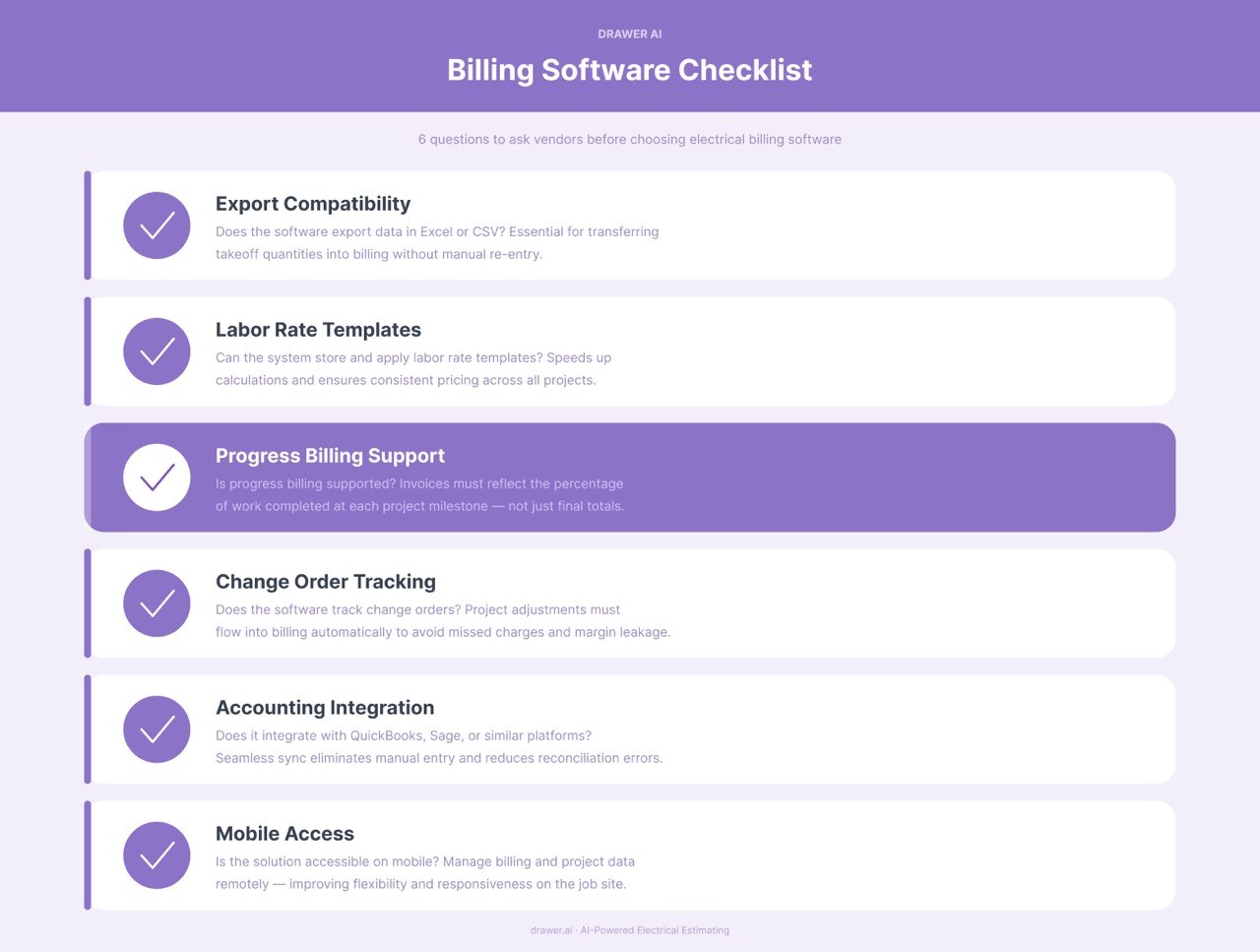
When evaluating electrical billing software that integrates with your estimating systems, it’s important to ask vendors specific questions to ensure the solution meets your workflow needs. Use the following checklist to guide your discussions:
Asking these questions will help ensure that your chosen software supports the full workflow from estimating to billing and integrates smoothly with your existing tools.
Accurate invoicing is fundamentally dependent on precise takeoff data. When project measurements, material estimates, and labor calculations are generated correctly from the start, the entire billing process becomes more reliable and streamlined. AI takeoff solutions automate and enhance this initial step, reducing manual errors and ensuring that information flows seamlessly into electrical billing software. This integration supports a consistent workflow from estimation through invoicing, helping electrical contractors maintain data integrity and improve billing accuracy. In summary, starting with accurate takeoff results in more trustworthy invoices, minimizing discrepancies and facilitating smoother project management.
Experience Drawer AI firsthand and schedule a demo to discover how it streamlines your billing pipeline.

14425 Falcon Head Blvd
Building E, Suite 100,
Austin, TX 78738
Created by Estimators, Powered by AI and Innovation
Copyright © 2026 Drawer AI. All rights reserved.